
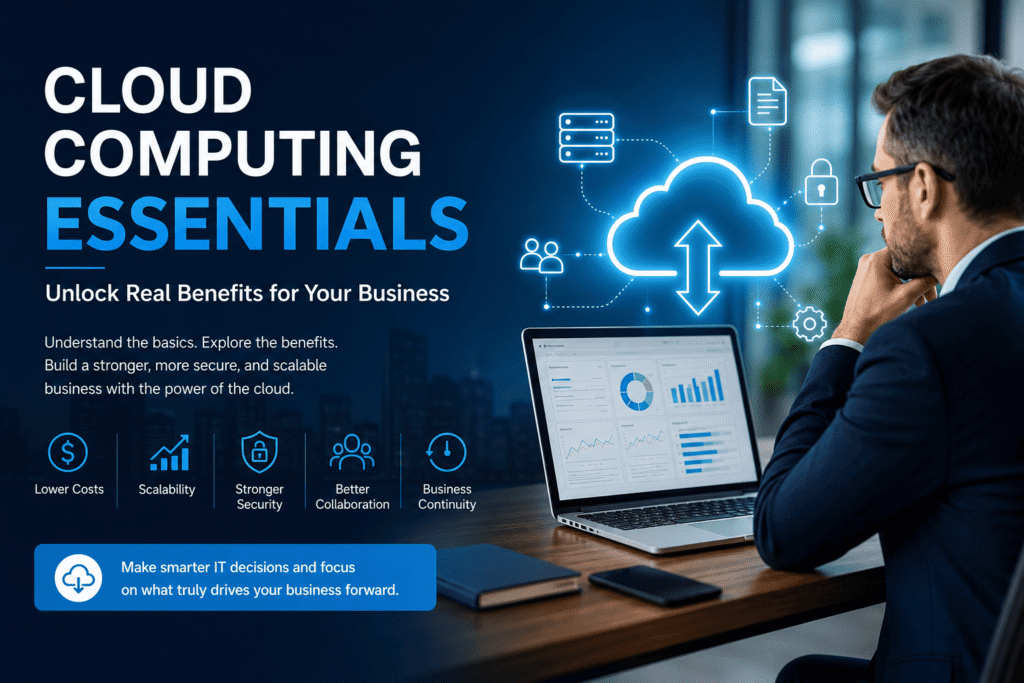
Cloud computing essentials are the core tools, services, security practices, and cloud models that help businesses store data, run software, access files, support remote teams, and scale operations through the internet. For modern businesses, understanding the essentials of cloud computing helps reduce IT costs, improve security, increase flexibility, and make daily operations easier to manage.
For many businesses, the problem is not a lack of technology. The problem is that their systems are outdated, expensive to maintain, and difficult to scale. Local servers, scattered files, weak backups, and limited remote access can quietly hold a company back. That is where cloud computing essentials become important. When a business understands how cloud services, cloud storage, cloud security, and scalable computing resources work, it builds a more flexible, secure, and reliable foundation for business growth.
What Are Cloud Computing Essentials?
Cloud computing essentials are the basic parts every business should understand before using cloud solutions. These include cloud storage, cloud software, cloud security, cloud service models, deployment models, backup systems, remote access, and provider support.
Cloud computing permits businesses to use IT resources over the internet instead of relying only on local computers or in-house servers. A company can store files, run applications, host websites, manage customer data, back up records, and support employees from multiple locations.
The most important cloud computing essentials include:
- On-demand access to IT resources
- Secure data storage and backup
- Cloud-based software and business applications
- Remote access from laptops, tablets, and mobile devices
- Scalable computing power and storage
- Strong security controls and access management
- Reliable support from cloud service providers
Understanding these essentials helps businesses use cloud technology with more confidence. It also prevents them from choosing tools that look useful but do not match their actual needs.
Why Businesses Must Understand Cloud Computing Today
Cloud computing is no longer only a technology upgrade. It has become a business requirement for companies seeking to work faster, protect data, and remain flexible.
A business that still depends only on office-based systems may face several limitations. Employees may struggle to access files outside the office. Hardware upgrades may become expensive. Data backup may be weak. System downtime may affect customers. Security may also become harder to manage without modern tools.
Understanding the essentials of cloud computing helps businesses avoid these problems. It allows them to choose the right cloud setup, reduce unnecessary IT costs, and use technology in ways that support long-term growth.
Cloud computing also gives small and medium-sized businesses access to tools that were once too expensive for large companies. With the right cloud solution, a smaller company can use professional software, secure storage, collaboration tools, and scalable systems without building a full data centre.
For a business owner, cloud computing is not just a technical decision. It can mean fewer interruptions, faster teamwork, safer data, and less stress as the company grows.
Core Benefits of Cloud Computing for Your Business
The main reason businesses adopt cloud computing is simple: it makes technology easier, faster, and more flexible.
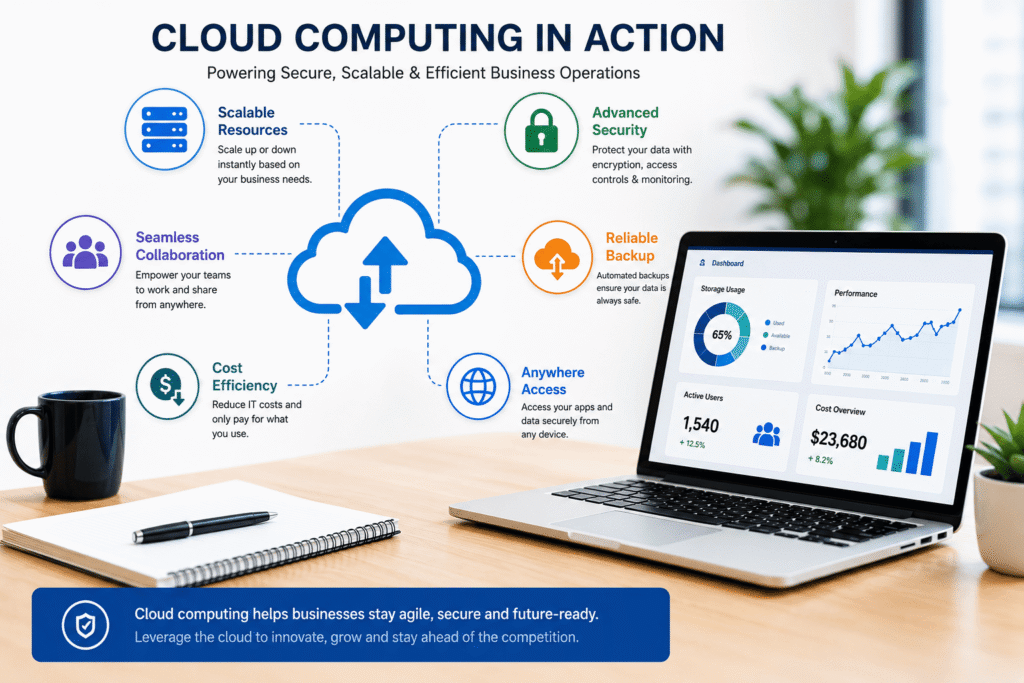
One of the biggest benefits is cost control. Instead of spending heavily on servers, hardware, maintenance, and office infrastructure, companies can use cloud services only when needed. This helps reduce high upfront costs and gives businesses more control over their IT spending.
Another major benefit is scalability. If a company needs more storage, users, or computing power, cloud platforms can scale up quickly. If demand drops, resources can be reduced. This helps businesses avoid paying for unused capacity.
Cloud computing also improves remote work. Employees can access files, software, dashboards, and communication tools from different locations. This is important for companies with field teams, remote workers, multiple offices, or flexible work models.
| Cloud Benefit | Business Value |
| Cost savings | Reduces hardware and maintenance expenses |
| Scalability | Allows resources to grow or shrink as needed |
| Remote access | Helps teams work from anywhere |
| Data backup | Protects important business information |
| Business continuity | Reduces the impact of system failures |
| Faster deployment | Helps launch tools and applications quickly |
| Improved collaboration | Keeps teams connected through shared platforms |
Cloud computing also supports better business continuity. If a local device fails, data stored in the cloud can still be accessed through another secure device. This reduces downtime and helps daily operations run more smoothly.
Make Cloud Computing Easier for Your Business
Understanding cloud computing is one thing. Other tasks include choosing the right setup, securing business data, and properly migrating systems.
A professional cloud support team can help a business review its current IT setup, select the right cloud model, improve cloud security, and create a smoother migration plan.
Whether a company needs cloud storage, remote access, backup solutions, or managed cloud services, the right support can help reduce confusion and avoid unnecessary risks.
CTA Button: Get Cloud Consultation
Types of Cloud Computing: Public, Private and Hybrid Cloud
Before adopting cloud solutions, a business needs to understand the main cloud deployment models.
Public cloud is a cloud environment delivered across the internet and shared across multiple users or organisations. It is commonly used for software, storage, websites, applications, and general business tools. Public cloud is usually cost-effective and easy to scale.
Private cloud is used by a single organisation. It gives more control, privacy, and customisation. Businesses with strict compliance needs, sensitive data, or advanced security requirements may prefer private cloud solutions.
Hybrid cloud combines private and public cloud environments. A business may keep sensitive data in a private cloud and use public cloud services for email, collaboration, websites, or scalable applications.
| Cloud Type | Best For |
| Public cloud | Cost savings, flexibility, general business use |
| Private cloud | Sensitive data, compliance, higher control |
| Hybrid cloud | Businesses needing both flexibility and security |
Choosing the right model depends on business size, budget, security needs, industry regulations, and long-term growth plans.
Cloud Service Models: SaaS, PaaS and IaaS Explained
Another important part of cloud computing essentials is understanding cloud service models.
SaaS, or Software as a Service, gives businesses access to ready-to-use software through the internet. Examples include email platforms, accounting tools, CRM systems, project management software, and file-sharing platforms.
PaaS, or Platform as a Service, provides developers with a cloud-based environment to build, test, and deploy applications without managing the underlying infrastructure.
IaaS, or Infrastructure as a Service, provide businesses access to virtual servers, storage, networking, and computing resources. This is useful for companies that need more control over their systems but do not want to manage physical hardware.
| Service Model | Simple Meaning | Common Use |
| SaaS | Ready-to-use software | Email, CRM, accounting, collaboration |
| PaaS | Development platform | App development and testing |
| IaaS | Virtual infrastructure | Servers, storage, networking |
These models help businesses choose the right level of control, flexibility, and support.
Cloud Security Essentials Every Business Should Know
Security is one of the largest reasons businesses hesitate to move to the cloud. No company wants to risk customer data, financial records, or daily operations because of poor planning.
Cloud security includes encryption, access control, user permissions, multi-factor authentication, backup systems, monitoring, threat detection, and compliance management. A reliable cloud service provider can help protect cloud data, but the business must also follow strong internal practices.
For example, employees should use strong passwords, avoid sharing login details, follow access rules, and understand basic cybersecurity risks. Cloud security works best when the provider and the business both take responsibility.
Important cloud security essentials include:
- Data encryption
- Secure user access
- Multi-factor authentication
- Regular backups
- Role-based permissions
- Monitoring and alerts
- Compliance planning
- Employee security training
Cloud computing improves flexibility, but it must be planned carefully to avoid weak access controls, poor data management, or compliance issues.
Key Considerations Before Adopting Cloud Solutions
Moving to the cloud should not be a rushed decision. Businesses need a clear plan before choosing a platform or provider.
The first step is understanding business needs. A company should know what it wants to move to the cloud: files, applications, email, backups, customer data, websites, or full infrastructure.
The second step is choosing the right cloud model. Some businesses only need SaaS tools. Others may need hybrid, private, or managed cloud services.
The third step is reviewing security and compliance needs. Industries such as healthcare, finance, legal, and professional services may need stronger data protection and access controls.
The fourth step is planning migration. Poor migration can create downtime, data loss, confusion, or workflow issues. A proper cloud transition should include backups, testing, staff training, and support.
Businesses should consider:
- Current IT setup
- Cloud budget
- Security needs
- Data sensitivity
- Software requirements
- Remote work needs
- Backup and recovery plans
- Provider support and reliability
Common Challenges of Cloud Computing and How to Avoid Them
Cloud computing has many benefits, but businesses should also understand the challenges.
One common challenge is choosing the wrong cloud provider. A low-cost provider may not offer the support, security, or reliability a business needs. Another challenge is poor migration planning. Moving data or systems without a clear strategy can interrupt daily operations.
Security misconfiguration is also a major risk. If user permissions are not properly managed, sensitive data can be exposed. Businesses may also face compliance concerns depending on where data is stored and how it is accessed.
The best way to avoid these problems is to start with a clear cloud strategy, choose the right service model, train employees, and work with experienced cloud professionals.
Ready to Build a More Secure and Scalable Business?
Cloud computing essentials give businesses more than online storage. They create a stronger foundation for growth, security, remote work, and long-term efficiency. When cloud solutions are planned correctly, businesses can reduce IT stress, improve team access, protect important data, and scale without depending on outdated systems.
The best results come from choosing the right cloud model. For companies ready to modernize their systems, cloud computing can be a practical step toward better performance, stronger security, and smoother day-to-day operations.
Frequently Asked Questions
What are cloud computing essentials?
Cloud computing essentials are the core services, tools, models, and security practices that help businesses use cloud technology effectively. They include cloud storage, cloud software, cloud security, backup systems, SaaS, PaaS, IaaS, and public, private, or hybrid cloud models.
Why is cloud computing important for businesses?
Cloud computing helps businesses reduce IT costs, improve remote access, protect data, scale resources, and keep operations running smoothly.
What are the main types of cloud computing?
The main types are public cloud, private cloud, and hybrid cloud. Public cloud is shared and flexible; private cloud offers more control; and hybrid cloud combines both for a better balance.
What are the key benefits of cloud computing?
The key benefits include cost savings, scalability, support for remote work, faster deployment, data backup, business continuity, and improved collaboration.
Is cloud computing secure for small businesses?
Cloud computing can be secure for small businesses when proper security measures are in place. These include encryption, strong passwords, multi-factor authentication, access controls, backups, and a reliable cloud service provider.