
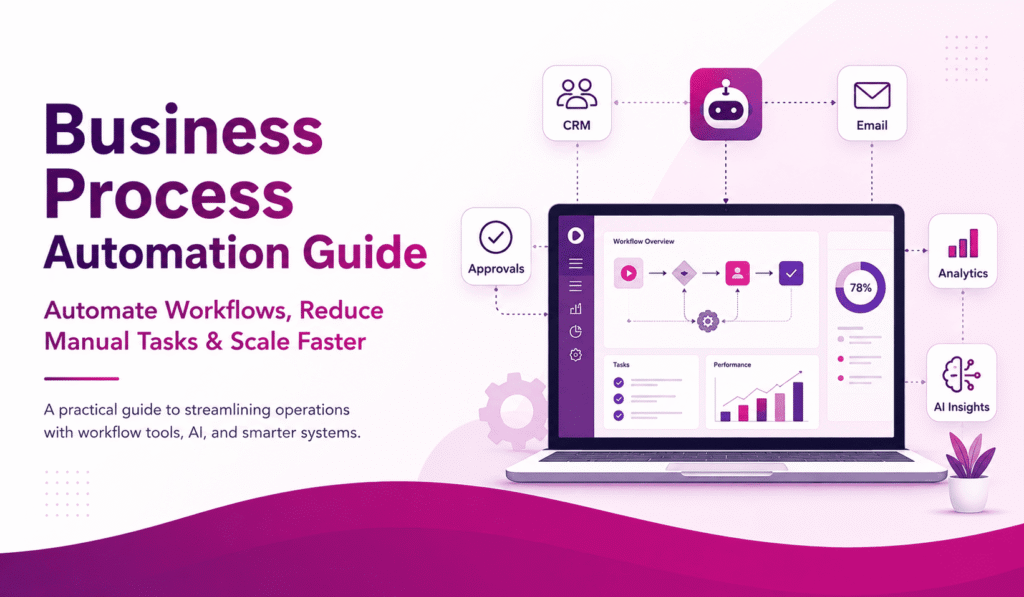
Business process automation is the use of software, AI, workflow tools, and digital systems to complete repetitive business tasks with less manual effort. It helps businesses save time, reduce errors, improve productivity, enhance the customer experience, and streamline workflows across sales, marketing, HR, finance, customer support, and operations.
Business process automation has become an important part of modern business growth. As companies handle more customers, more data, and more daily tasks, manual processes can slow teams down and lead to avoidable mistakes. Tasks such as sending follow-up emails, updating CRM records, creating invoices, assigning support tickets, or preparing reports can take hours when done manually.
The purpose of automation is not to remove people from the business. It is to help teams spend less time on repetitive tasks and more time on strategy, customer service, sales, decision-making, and business growth.
What Is Business Process Automation?
Business process automation, also called BPA, involves using technology to automate repetitive business activities that are usually performed manually. These activities can include data entry, approvals, customer follow-ups, invoice processing, reporting, employee onboarding, email responses, task assignments, and document handling.
A business process is a repeated series of steps that helps a company complete a task. For example, when a customer fills out a form on a website, the business may need to save the lead, send a reply, notify the sales team, and create a follow-up reminder. Without automation, each step needs manual work. With business process automation, these steps can happen automatically. A good automation system connects tools such as a CRM, email platform, website form, accounting software, project management system, or customer support platform.
Why Is Business Process Automation Important?
Business process automation is important because manual work becomes harder to manage as a business grows. A small team may handle tasks manually at first, but as leads, customers, orders, employees, and reports grow, manual processes create bottlenecks.
Common problems with manual processes include:
- Missed follow-ups
- Slow customer responses
- Repeated data entry
- Delayed approvals
- Human errors
- Disorganized reporting
- Poor communication between teams
Automation helps businesses reduce these problems by creating consistent workflows. It ensures that important tasks are not forgotten and that information moves quickly between systems.
What Are Examples of Business Process Automation?
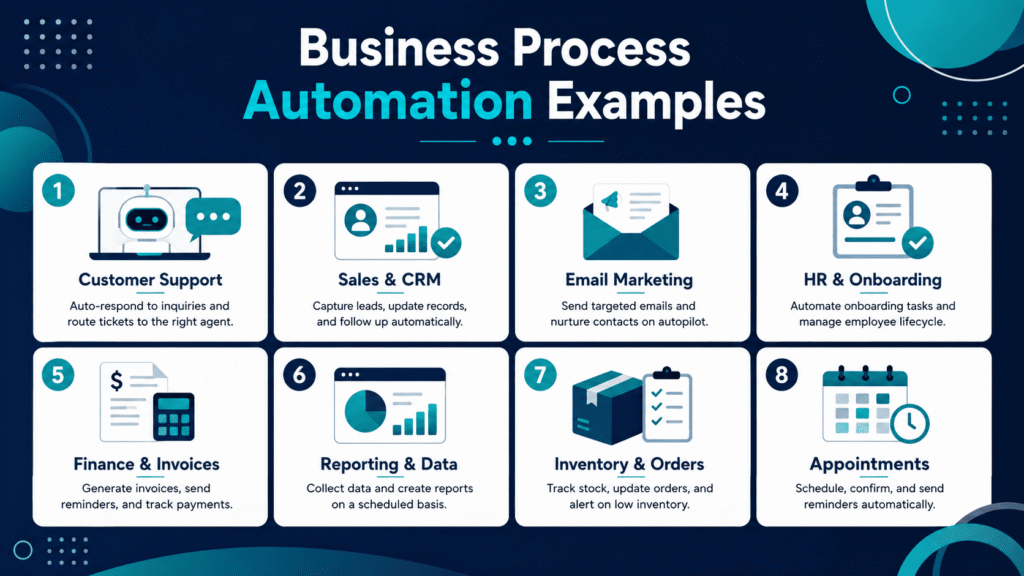
Examples of business process automation can be found in almost every department. Any task that is repetitive, rule-based, time-consuming, or easy to forget can often be improved through automation.
For example, when a customer submits a form, the business should not have to manually copy the lead into a spreadsheet, send a reply, notify the team, and create a follow-up reminder. With business process automation, all these steps can be automated.
1. Customer Support Automation
Customer support is one of the most common areas for business process automation. Businesses can automate ticket creation, customer replies, issue categorization, and internal notifications.
When a customer submits a support request, the system can automatically create a ticket, send a confirmation email, assign the issue to the correct department, and notify the support team. If the question is common, an AI chatbot can provide an instant answer before a human agent is needed.
This improves response time, reduces missed requests, and enhances the customer experience.
2. Sales and CRM Automation
Sales teams can use CRM automation to manage leads, follow-ups, reminders, and deal stages. When a new lead comes from a website form, ad campaign, landing page, or chatbot, the CRM can automatically save the contact details, assign the lead to a salesperson, send a welcome email, and create a follow-up task.
This type of business process automation helps sales teams respond faster and avoid missed opportunities. It also gives managers better visibility into lead status and sales performance.
3. Email Marketing Automation
Email marketing automation allows businesses to send the right message at the right time. Instead of manually sending emails to every lead or customer, businesses can create automated email sequences based on user actions.
For example, if someone downloads a guide, books a consultation, abandons a cart, or submits a quote request, the system can automatically send a relevant email sequence.
This helps businesses nurture leads, stay connected with customers, and improve conversions without manually sending every email.
4. HR and Employee Onboarding Automation
HR teams can automate employee onboarding, document collection, training assignments, and internal notifications.
When a new employee joins the company, the system can automatically send onboarding documents, collect required information, assign training tasks, and notify managers about pending steps.
This reduces paperwork, saves time, and helps new employees start with a more organized experience.
5. Finance and Invoice Automation
Finance departments can automate invoice processing, payment reminders, expense approvals, and financial reporting. Invoice automation reduces manual errors and improves cash flow tracking.
For example, when an invoice is created, the system can send it to the client, schedule payment reminders, update accounting software, and notify the finance team if payment is overdue.
6. Reporting and Data Automation
Many businesses spend hours collecting data from different platforms. Reporting automation can pull information from CRM systems, Google Analytics, advertising platforms, sales dashboards, and accounting tools.
Instead of creating reports manually, teams can receive weekly or monthly reports automatically. This helps managers make faster, more informed decisions based on organized data.
7. Inventory and Order Management Automation
Inventory automation is useful for e-commerce stores, retailers, suppliers, and product-based businesses. The system can track stock levels, send low-stock alerts, update order status, and notify customers about shipping.
This helps businesses avoid stockouts, reduce delays, and improve operational control.
Table: Business Process Automation Examples
| Business Area | Automation Example | Main Benefit |
| Customer Support | Ticket creation and chatbot replies | Faster response time |
| Sales | CRM lead assignment and follow-ups | Fewer missed leads |
| Marketing | Automated email sequences | Better lead nurturing |
| HR | Employee onboarding workflows | Less admin work |
| Finance | Invoice reminders and payment tracking | Improved cash flow |
| Reporting | Automated reports and dashboards | Faster decisions |
| Inventory | Low-stock alerts and order updates | Fewer delays |
The best business process automation examples are not always complex. Simple automations, such as lead notifications, invoice reminders, appointment confirmations, and CRM updates, can save many hours each month.
How Does Business Process Automation Work?
Business process automation works through triggers, rules, and actions.
A trigger starts the workflow. An action is what happens after the trigger.
For example:
- Trigger: A customer fills out a contact form.
- Action: The system sends a confirmation email.
- Action: The CRM creates a new lead.
- Action: The sales team receives a notification.
- Action: A follow-up task is created automatically.
More advanced automation can include conditions. For example, if a lead selects a specific service, the system can send a related email sequence. If a support request is urgent, it can be assigned to a senior team member.
How to Automate Business Processes Step by Step
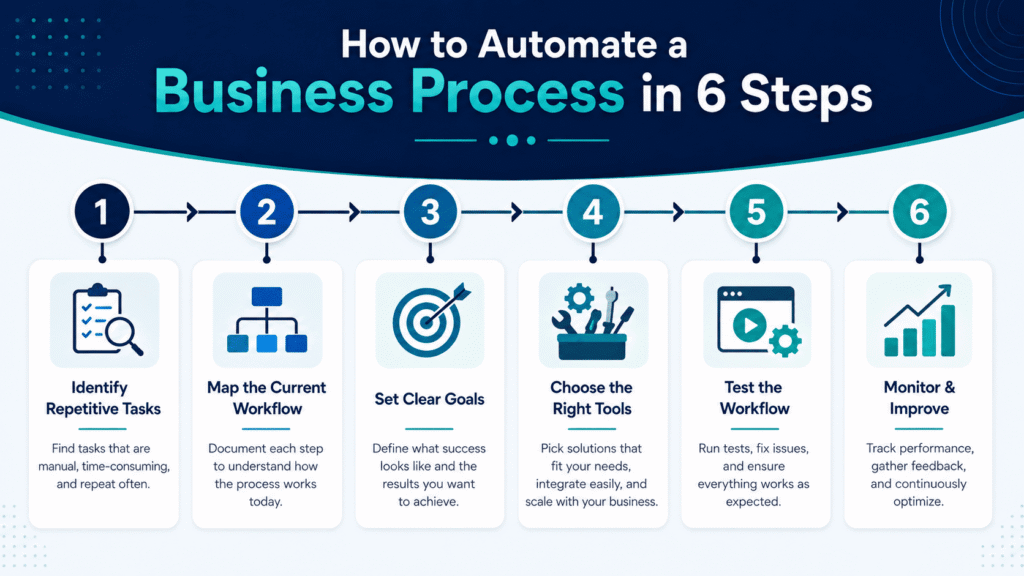
Business process automation should start with strategy, not tools. A company should first identify which workflow is slow, repetitive, or error-prone.
1. Identify Repetitive Tasks
The first step is to find tasks that are repeated often. These may include data entry, lead follow-ups, invoice reminders, report generation, approvals, and customer notifications.
2. Map the Current Workflow
Before automating a process, the business should map how the task currently works. This includes each step, person, tool, delay, and approval involved.
3. Set Clear Goals
Automation should have a clear purpose. The goal may be to reduce response time, save employee hours, improve accuracy, speed up approvals, or increase lead conversion.
4. Choose the Right Automation Tools
The right tools depend on the process. A sales team may need CRM automation. A finance team may need invoice automation. A service business may need booking and reminder automation.
5. Test the Workflow
Automation should be tested before full launch. Testing helps identify wrong triggers, missing steps, confusing notifications, or technical errors.
6. Monitor and Improve
Business process automation is not a one-time setup. Workflows should be reviewed and improved as the business grows.
What Tools Are Used to Automate a Process?
Different tools are used for different automation needs. The right choice depends on the business size, workflow, budget, and the systems already in use.
Common business process automation tools include:
- CRM automation tools for lead management, sales follow-ups, and customer tracking
- Workflow automation platforms for approvals, reminders, and task movement
- Email marketing tools for automated campaigns and lead nurturing
- RPA tools for repetitive digital tasks such as copying data or moving files
- AI automation tools for chatbots, document analysis, summaries, and predictions
- No-code and low-code tools for building automations without heavy development
- Business process management software for modeling, managing, and improving workflows
The best tool is not always the most advanced one. The best tool is the one that solves the actual workflow problem without making the process more complicated.
How Does AI Automate Business Processes?
AI is making business process automation smarter. Traditional automation follows fixed rules, while AI can understand language, analyze patterns, classify information, and support decision-making.
AI can help businesses:
- Answer customer questions through chatbots
- Classify support tickets
- Extract data from invoices or documents
- Summarize long messages
- Predict lead quality
- Recommend next sales actions
- Personalize marketing emails
- Generate reports and insights
AI business process automation is useful when companies need faster decisions, better customer communication, and improved data handling.
However, AI should be used carefully. Businesses should still review sensitive decisions, protect customer data, and make sure automated responses are accurate.
Can Manual Business Processes Be Automated?
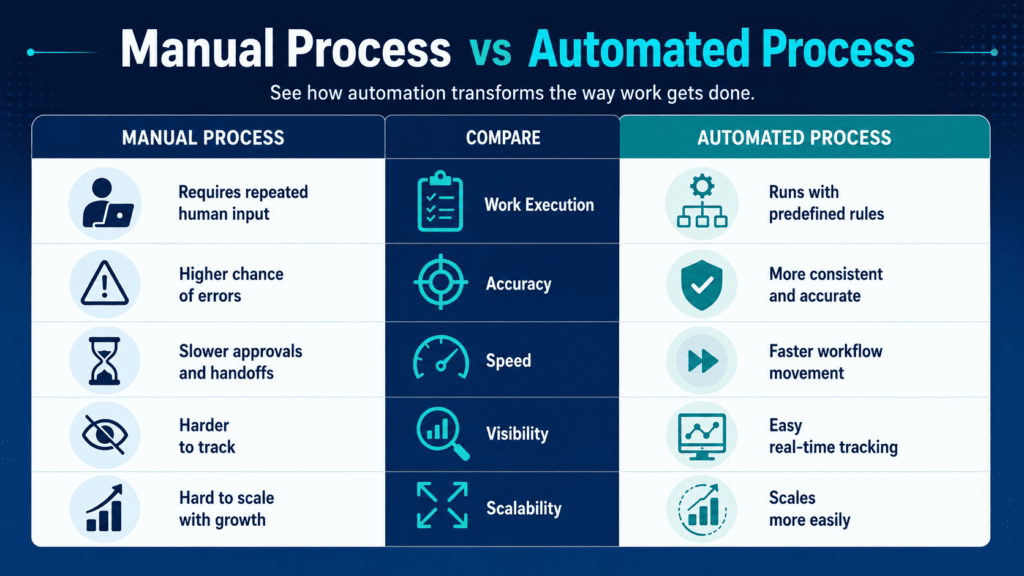
Yes, many manual business processes can be automated, but not every task should be fully automated. Manual processes that follow a repeated pattern are usually good candidates for automation. These include form submissions, document collection, approvals, reminders, reports, and CRM updates.
Some processes may need partial automation. For example, a system can collect customer information, organize it, and notify the team, while a human still handles the final consultation or decision.
This balance is important because automation should support human work, not remove judgment where it is needed.
Build Smarter Workflows With Business Process Automation
Business process automation is one of the most practical ways for companies to save time, reduce errors, improve productivity, and create smoother operations. It helps businesses move away from slow manual work and build systems that support growth.
The most successful companies do not automate everything at once. They start with the tasks that waste the most time, slow down customers, or create repeated mistakes. Then they improve those workflows step by step using the right tools and clear goals.
For businesses looking to improve operations, manage leads more effectively, automate customer communication, or leverage AI in daily workflows, business process automation can deliver long-term value. With the right strategy, automation helps teams work faster while still keeping the human touch where it matters most.
FAQ’s
What is business process automation in simple words?
Business process automation involves using software or digital tools to automate repetitive business tasks. It helps companies reduce manual work, save time, and improve accuracy.
What are common business process automation examples?
Common business process automation examples include CRM updates, lead follow-ups, invoice reminders, employee onboarding, email marketing, support ticket creation, appointment reminders, and automated reports.
Is business process automation only for large companies?
No. Small businesses can also use automation. Many no-code tools enable small teams to automate lead generation, emails, reports, bookings, and customer communication without complex development.
What is the difference between workflow automation and business process automation?
Workflow automation typically focuses on automating tasks within a single workflow. Business process automation is broader and can include multiple workflows, departments, tools, and systems.
What should a business automate first?
A business should first automate tasks that are repetitive, time-consuming, easy to forget, or prone to error. Lead follow-ups, invoice reminders, customer notifications, and reporting are good starting points.